Ready for your printer
Export print-ready artwork with bleed and safe zones, plus USPS paperwork for your routes. Use your own print and mail providers.
How 9x12 Tools works
Your card, routes, prospects, payments and approvals.
One campaign that keeps every piece connected.
Free to build and preview. Subscribe when you’re ready to publish and take payments.
01Build your campaign
Choose your card format, arrange the spots, set your prices and save your USPS routes. Your campaign website is generated from that same setup.
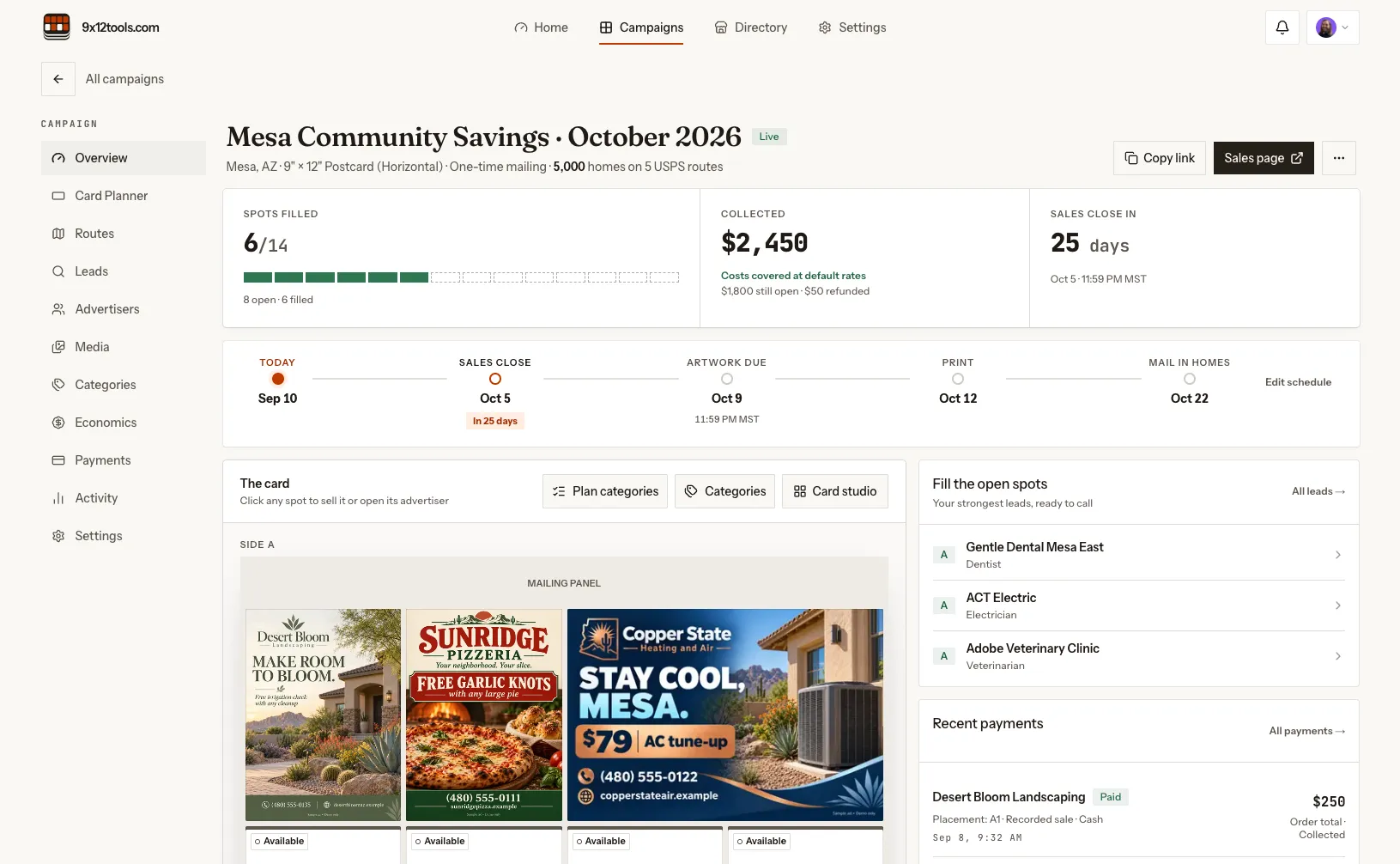
Change the campaign. The website stays in sync.
02Find your advertisers
Saving your routes automatically generates, scores and ranks local business prospects. Contact details, reasons to call and AI-drafted outreach give you a place to start.
Work the next lead, log the conversation and keep follow-ups moving. Your Lead Book keeps the relationship history, inquiries and sales together.
Explore the prospecting toolsYour first leads, included free.Paid discovery continues as you work.
03Sell the spots
Connect Stripe through guided setup, then publish your campaign. Advertisers choose an available spot on your site and pay the price you set.
No separate Stripe Payment Links to create, paste or replace.
Update an open spot’s price in your workspace. Your card, campaign site and new checkout use the same price. Reserved and sold spots keep their agreed terms.
One price, carried through.
Payments are created directly on your connected account. You keep full Stripe Dashboard access. No API keys to paste.
9x12 Tools adds no percentage fee to your ad sales. Stripe’s processing fees and account verification still apply.
Successful checkout marks the spot sold and connects the buyer, payment, lead history and advertiser workspace.
04Get the ad approved
Your advertiser gets a private workspace link after payment. Their details, artwork and approval stay attached to the placement. No advertiser account to create.
The advertiser submits business information, contact details, their offer and notes through the private link.
Add the artwork to the placement and send it for review. Advertisers can also upload artwork they already have.
Approval or a change request belongs to the current artwork. You can see which spots are ready for the printer.
05Print & keep growing
Export print-ready artwork with bleed and safe zones, plus USPS paperwork for your routes. Use your own print and mail providers.
Each placement has a mobile ad page and downloadable QR code. Update the offer behind the printed code as the advertiser’s promotion changes.
Paid spots create business profiles and campaign listings on your site. Listings publish when the campaign, details and artwork are ready.
Track campaign visits, spot views, checkout starts, sales and QR activity. Offer redemptions are customer-reported.
Each card keeps its own routes, dates, spots and money. Your plan sets how many campaigns can sell at once.
Estimate campaign costs using your household count, printing, handling, postage and spot prices. Keep the budget beside the card.
Capture website inquiries, import contacts on a paid plan and keep advertiser history together. Your records stay exportable.
A few useful details
Build your card, choose routes, set spot prices and preview your campaign website. Your prospect list generates automatically, and your first 50 leads are workable free. Subscribe to publish, connect a domain, take advertiser payments and import contacts. No credit card is required to start.
Start payment setup in your workspace and follow Stripe’s guided onboarding to provide your business and bank details. You keep full access to your Stripe Dashboard. There are no API keys to paste or webhooks for you to configure. Stripe’s verification requirements and processing fees still apply.
You qualify and contact businesses, make the sale and prepare the artwork. The platform finds prospects, drafts outreach and keeps the campaign work connected. You arrange printing and mailing with your own providers. Printing, postage, domain registration, ad design tools and payment processing are separate costs.
Start with your next card
Build your card, save your routes and work your first 50 prospects. See it come together before you pay.
Build my campaign freeSee plans & the founding offerPublishing, your domain and advertiser payments require a paid plan.